火爆全网的大龙虾:十分钟部署OpenClaw的AI Robot,能帮你干活的数字员工
OpenClaw 是一款开源 AI 助手,不到2个月时间 Github (opens new window)点赞量已经超过 170k Star ⭐️,它的出现为我们提供了更俏的思路使用 LLM 大模型。从24年底,定义了 MCP 协议,25年爆发了 Ai Agent 的落地,随后出现 GLM AutoPhone (opens new window)控制手机,现在又来了大龙虾 OpenClaw 控制电脑。
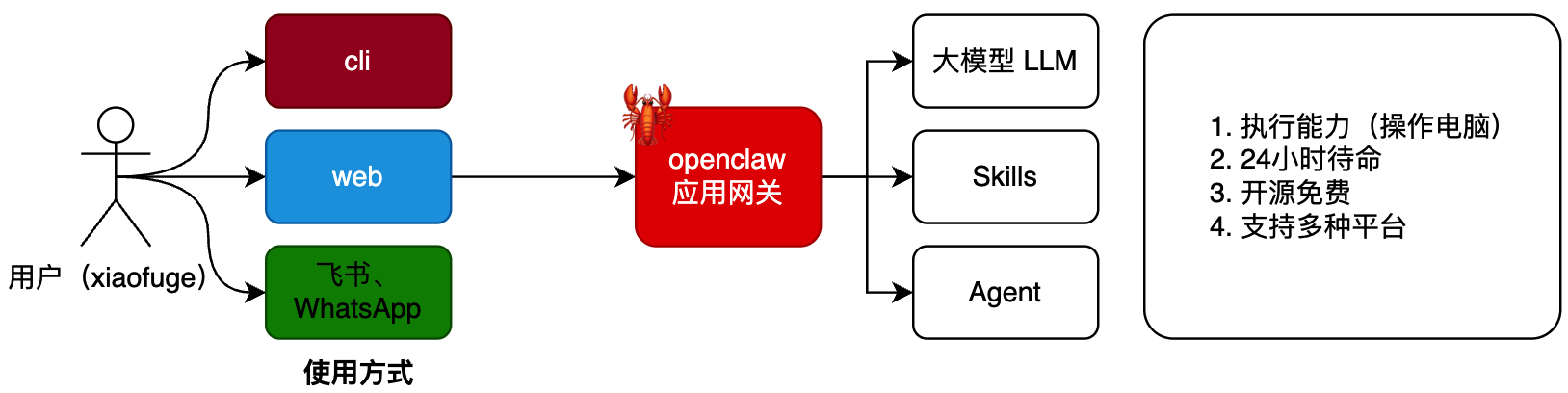
OpenClaw,大龙虾,看着挺复杂的,其实一点也不简单。如果想体验,咋整?接着看呗......
各种OpenClaw资源
官方网站:https://openclaw.ai/ 源码网址:https://github.com/openclaw/openclaw 中文社区:https://clawd.org.cn/
准备工作
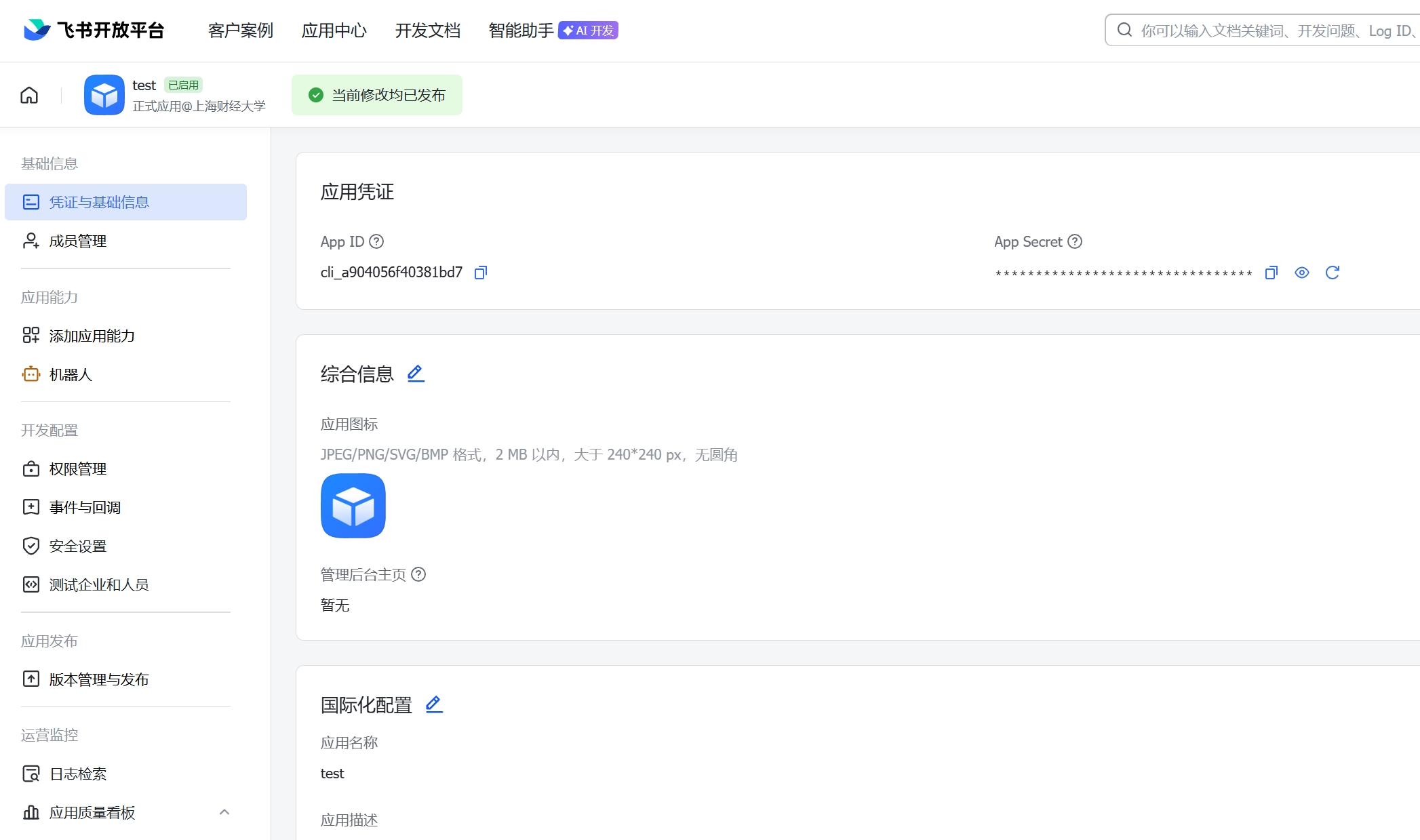
飞书:https://open.feishu.cn/app,后面会用飞书开放平台,创建你的数字员工应用和机器人,以及配置权限、事件与回调等
记录好App ID 和 App Secret,如下图
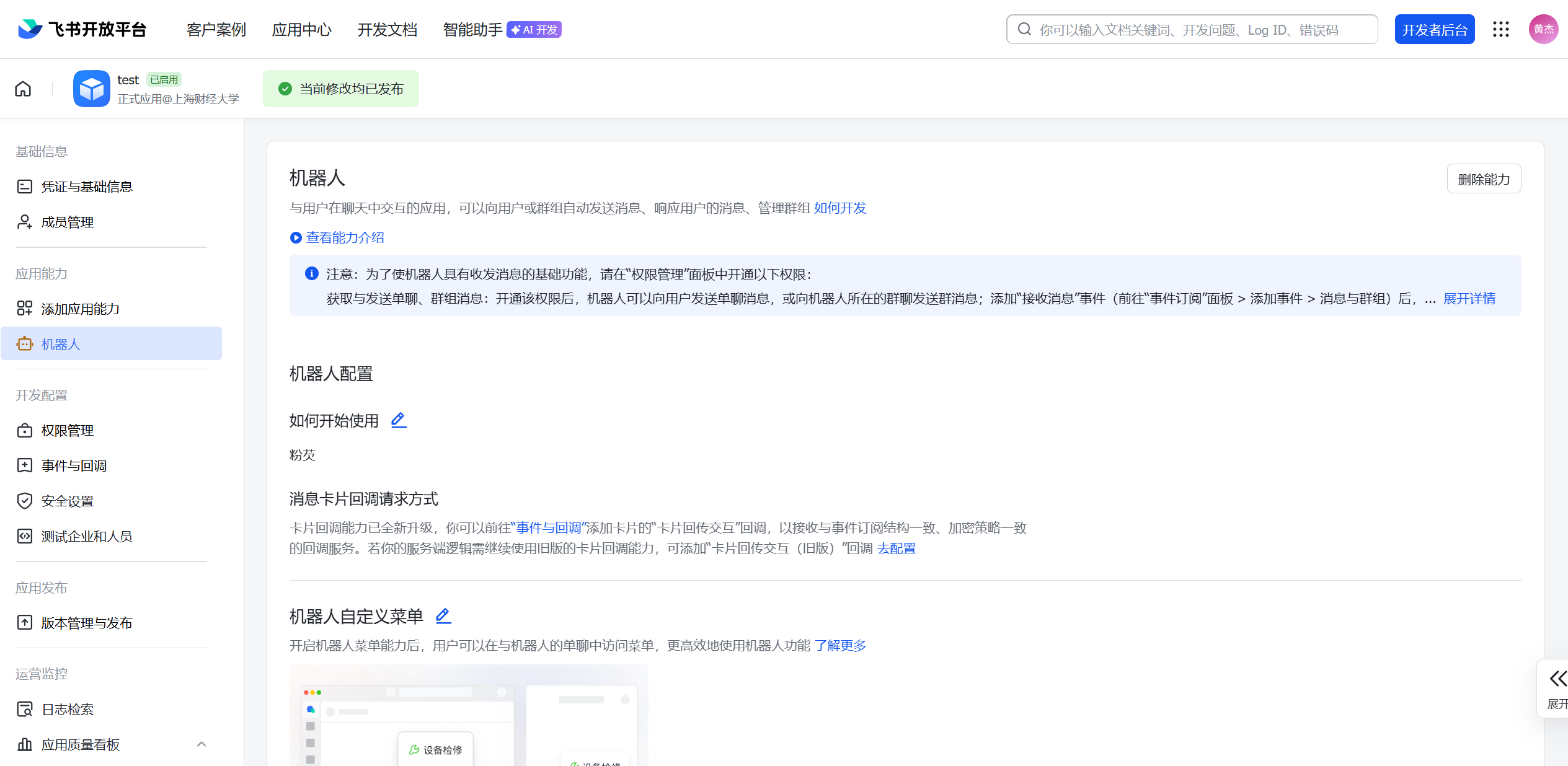
创建机器人
开通权限
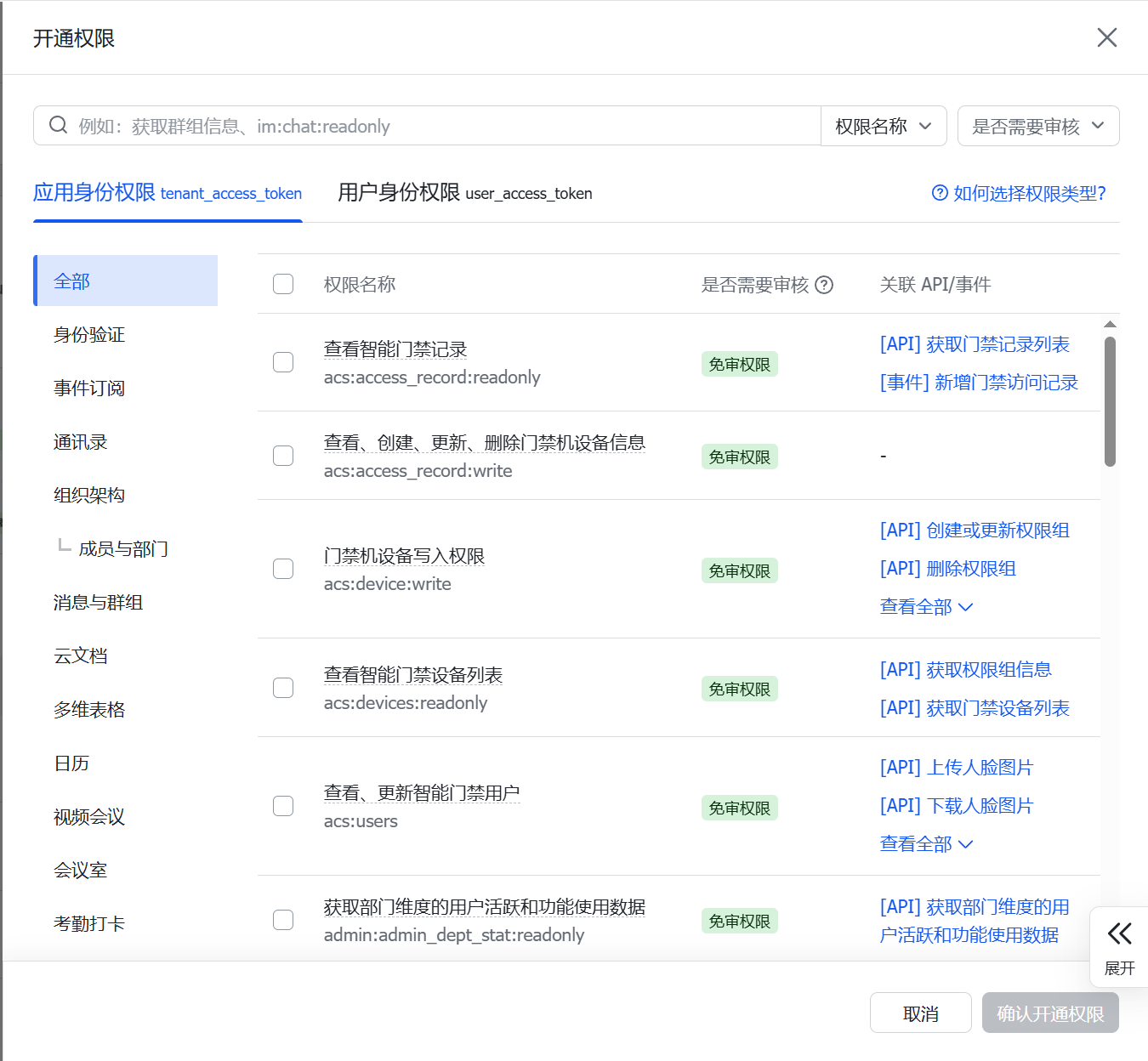
批量导入,权限列表
{
  "scopes": {
    "tenant": [
      "aily:file:read",
      "aily:file:write",
      "application:application.app_message_stats.overview:readonly",
      "application:application:self_manage",
      "application:bot.menu:write",
      "cardkit:card:write",
      "contact:contact.base:readonly",
      "contact:user.employee_id:readonly",
      "corehr:file:download",
      "docs:document.content:read",
      "event:ip_list",
      "im:chat",
      "im:chat.access_event.bot_p2p_chat:read",
      "im:chat.members:bot_access",
      "im:message",
      "im:message.group_at_msg:readonly",
      "im:message.group_msg",
      "im:message.p2p_msg:readonly",
      "im:message:readonly",
      "im:message:send_as_bot",
      "im:resource",
      "sheets:spreadsheet",
      "wiki:wiki:readonly"
    ],
    "user": [
      "aily:file:read",
      "aily:file:write",
      "im:chat.access_event.bot_p2p_chat:read"
    ]
  }
}
大模型key,这里可以使用公网的大模型平台比如:deepseek、kimi、qwen、火山引擎等,比如,GLM ApiKey:https://open.bigmodel.cn/usercenter/proj-mgmt/apikeys (opens new window)- 可以换账号新注册下,获取2000万token,可以提前申请好,复制到自己的文档里。也可以使用本地自己部署的模型。
事件与回调
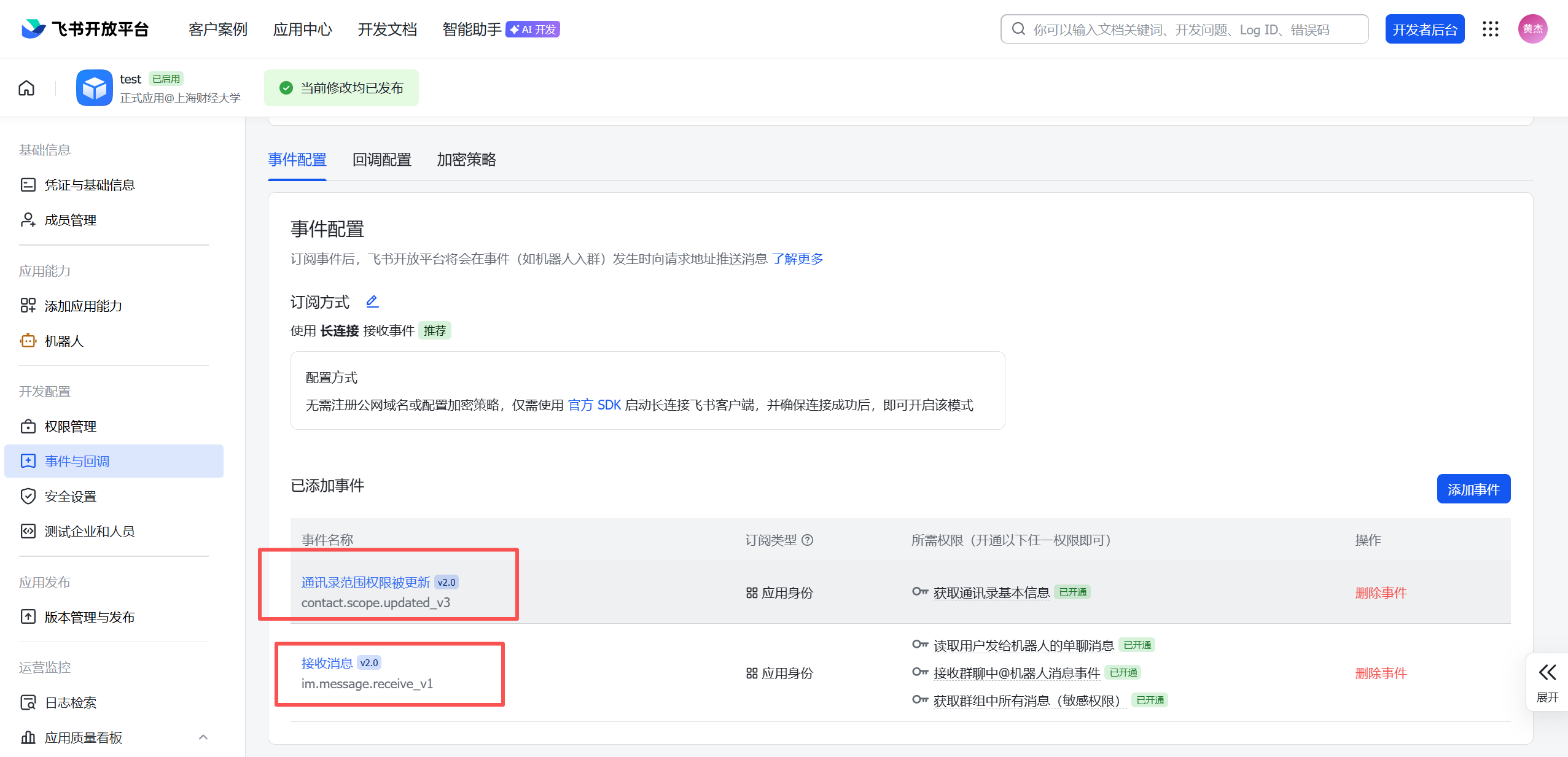
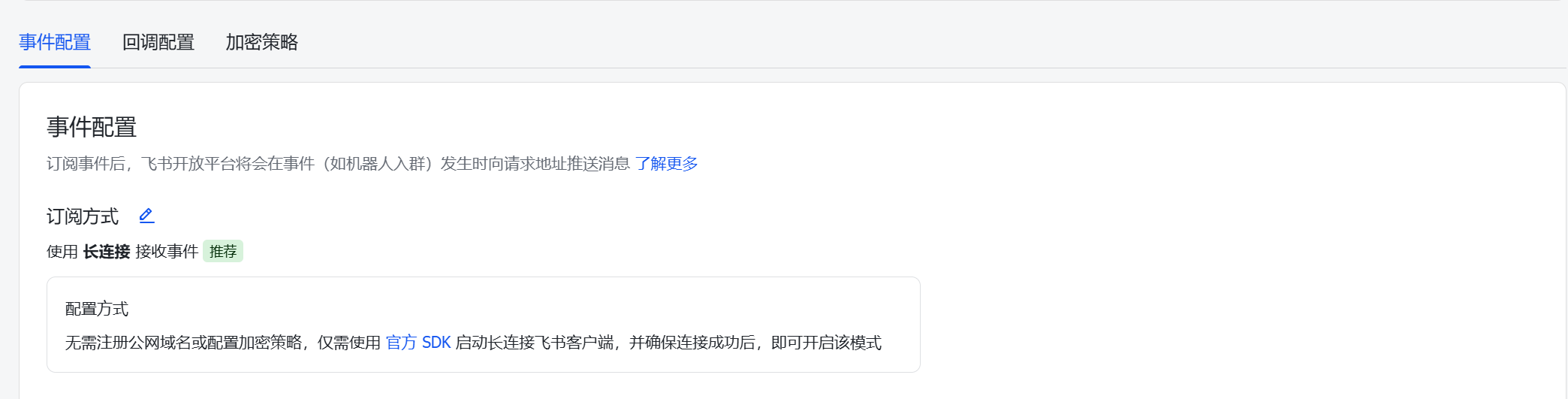
订阅方式
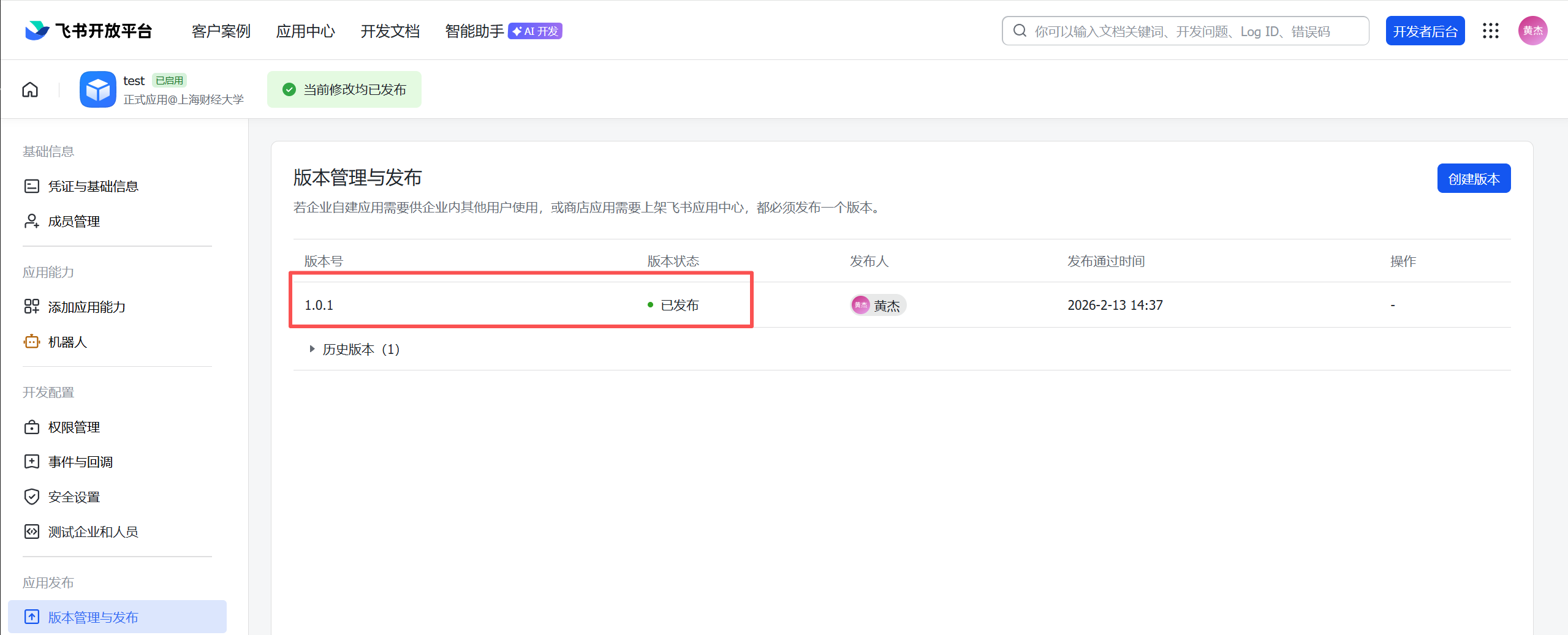
版本发布
飞书的配置,到这里,先准备好,等一会安装OpenClaw的时候需要使用
OpenClaw安装介绍
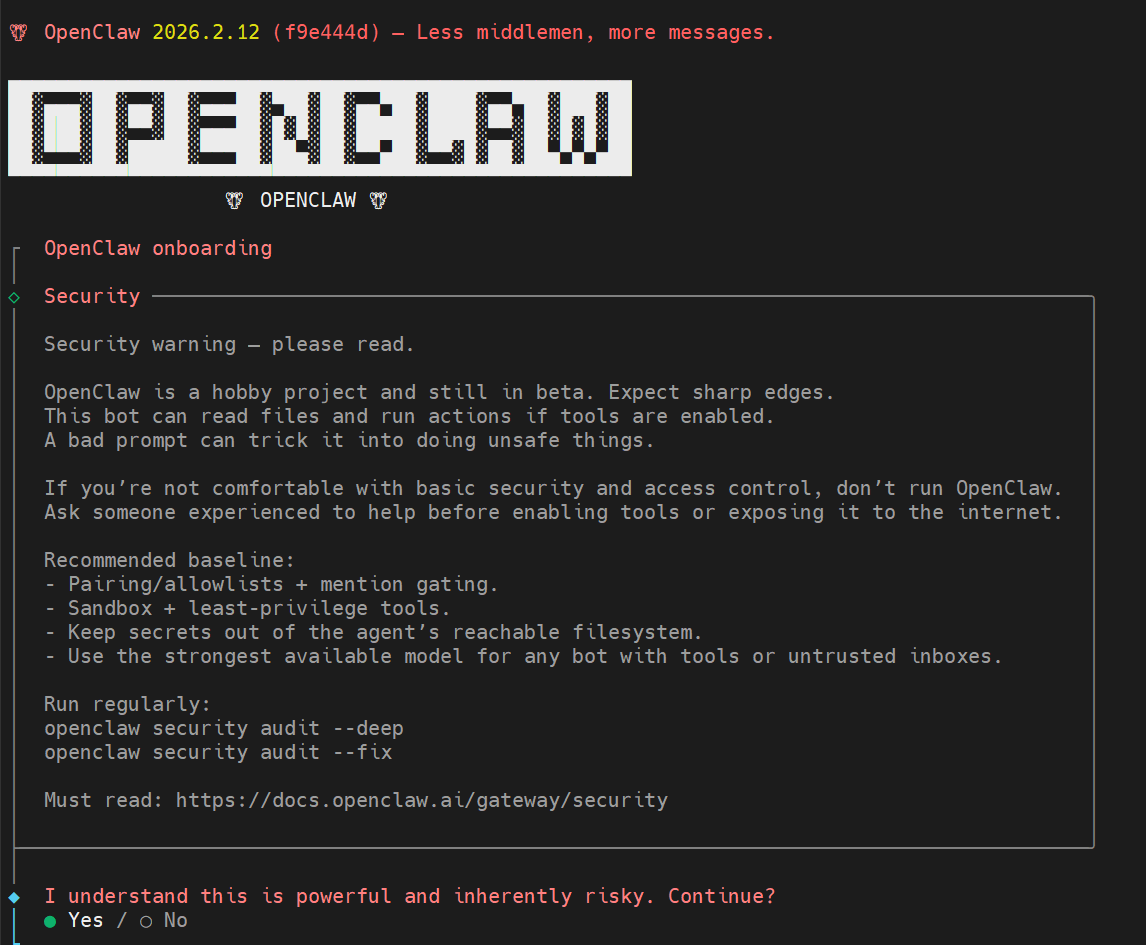
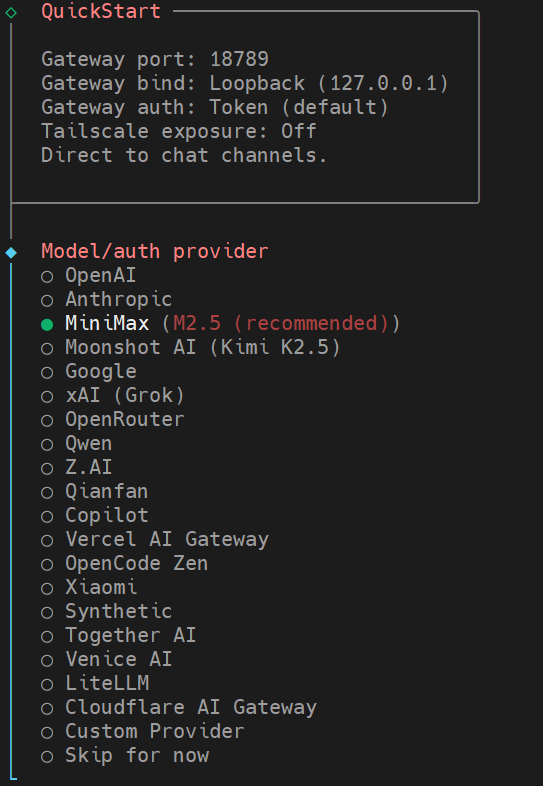
安装过程全程是命令行,需要熟悉Linux的简单操作指令
好像也支持Windows的安装,我没试过,有兴趣的同学可以试试看
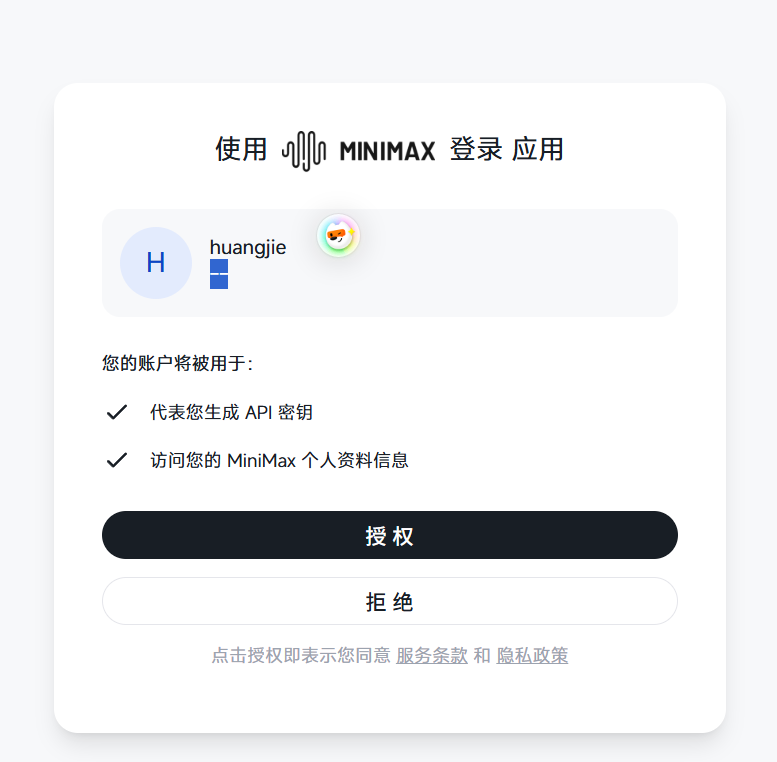
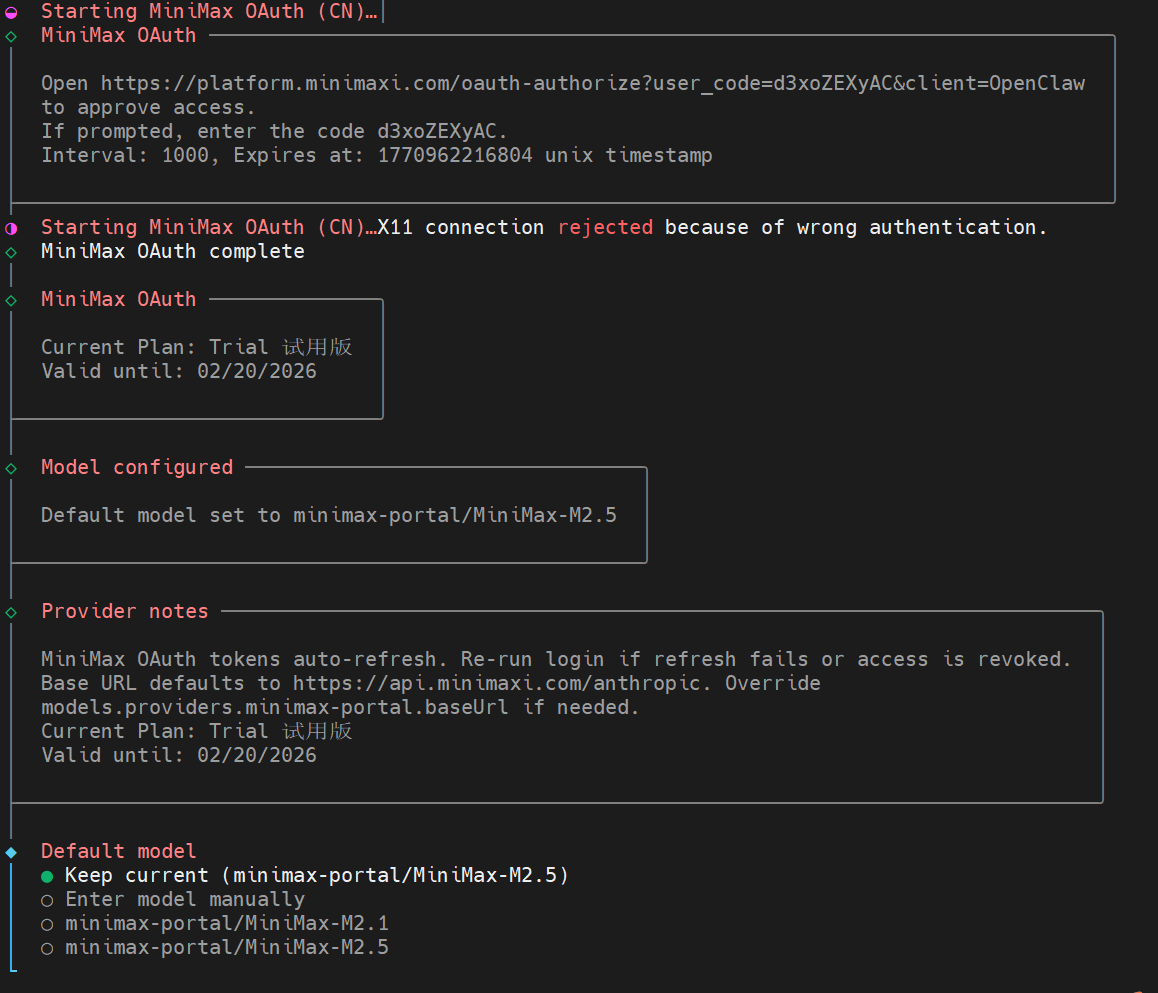
整个安装过程如下图
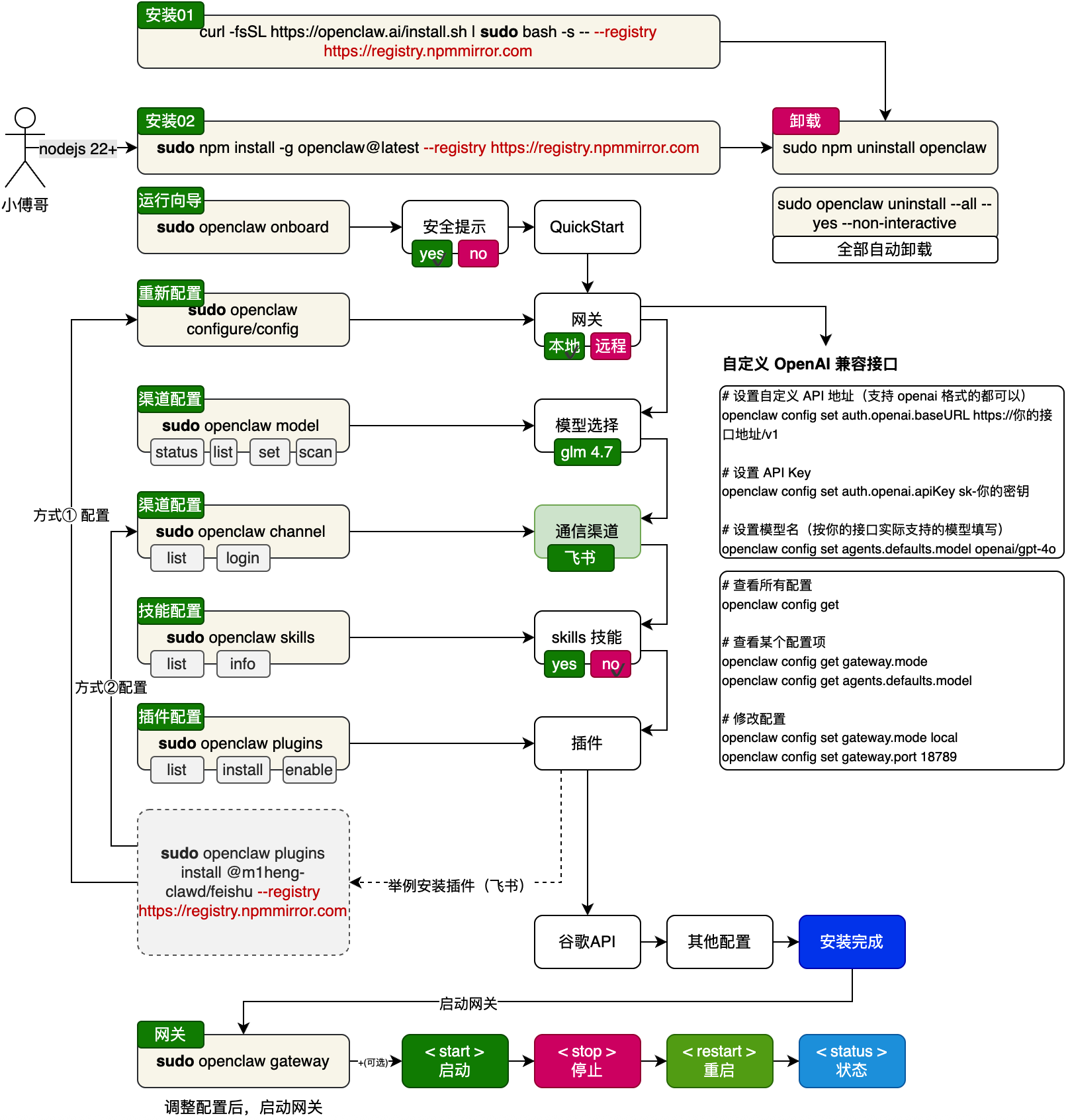
基本上通过界面都可以配置好,如果中途有问题,可以退出再来一次,可以多次安装和修改参数。
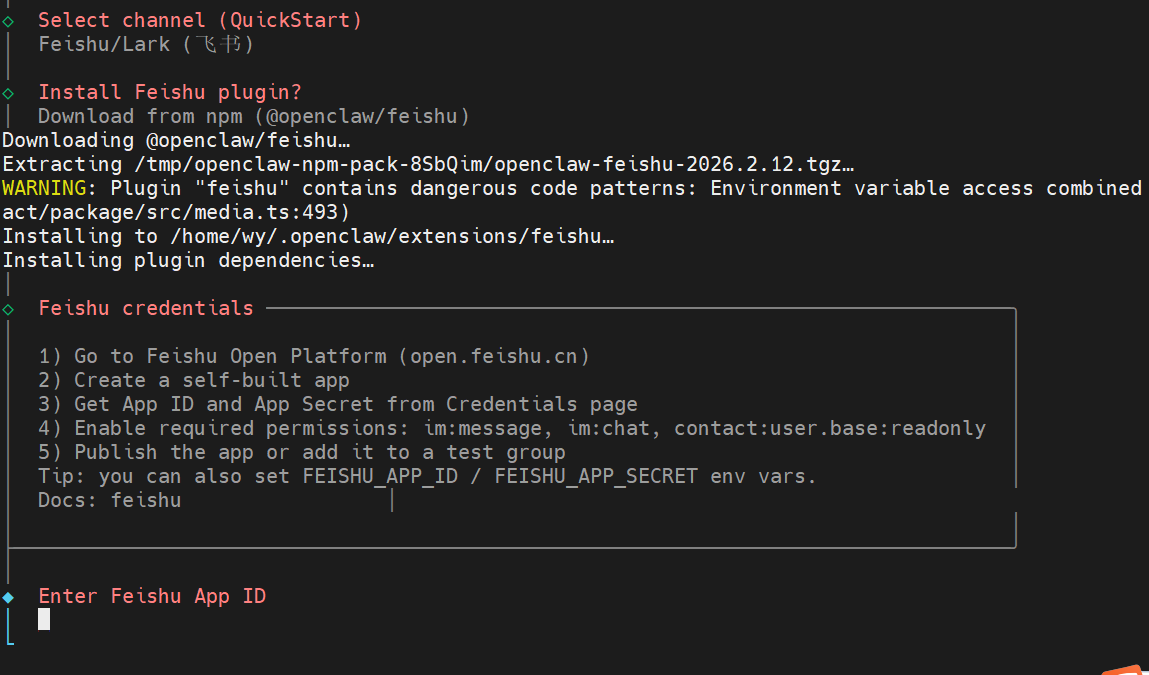
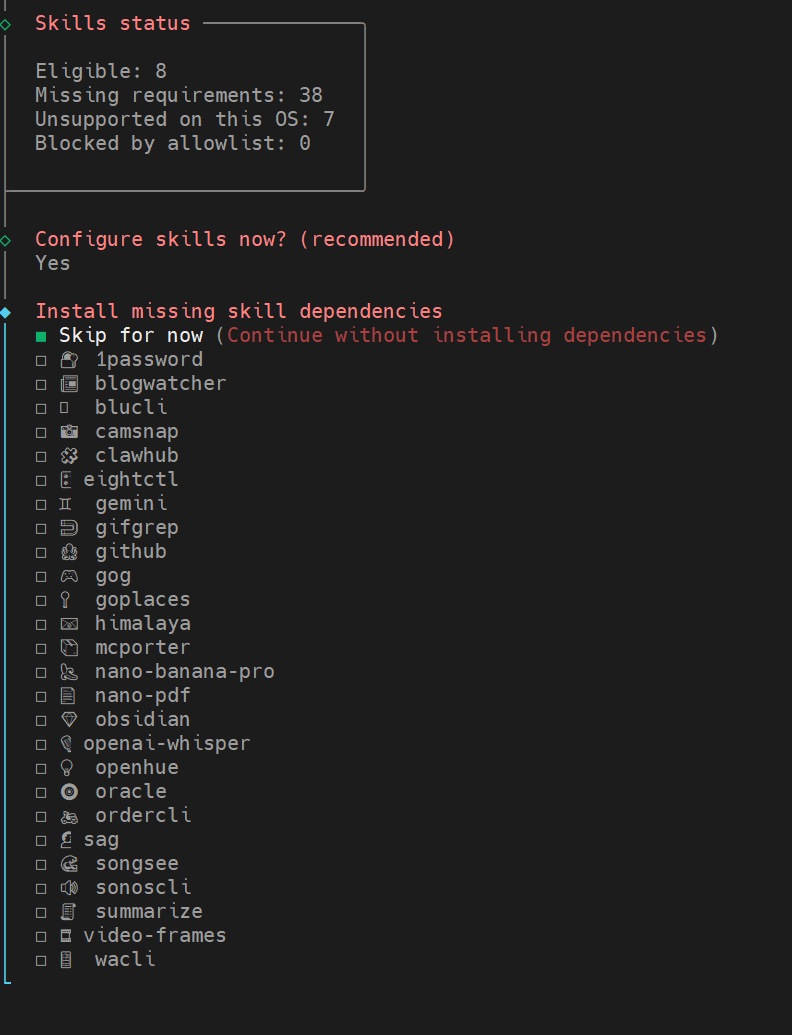
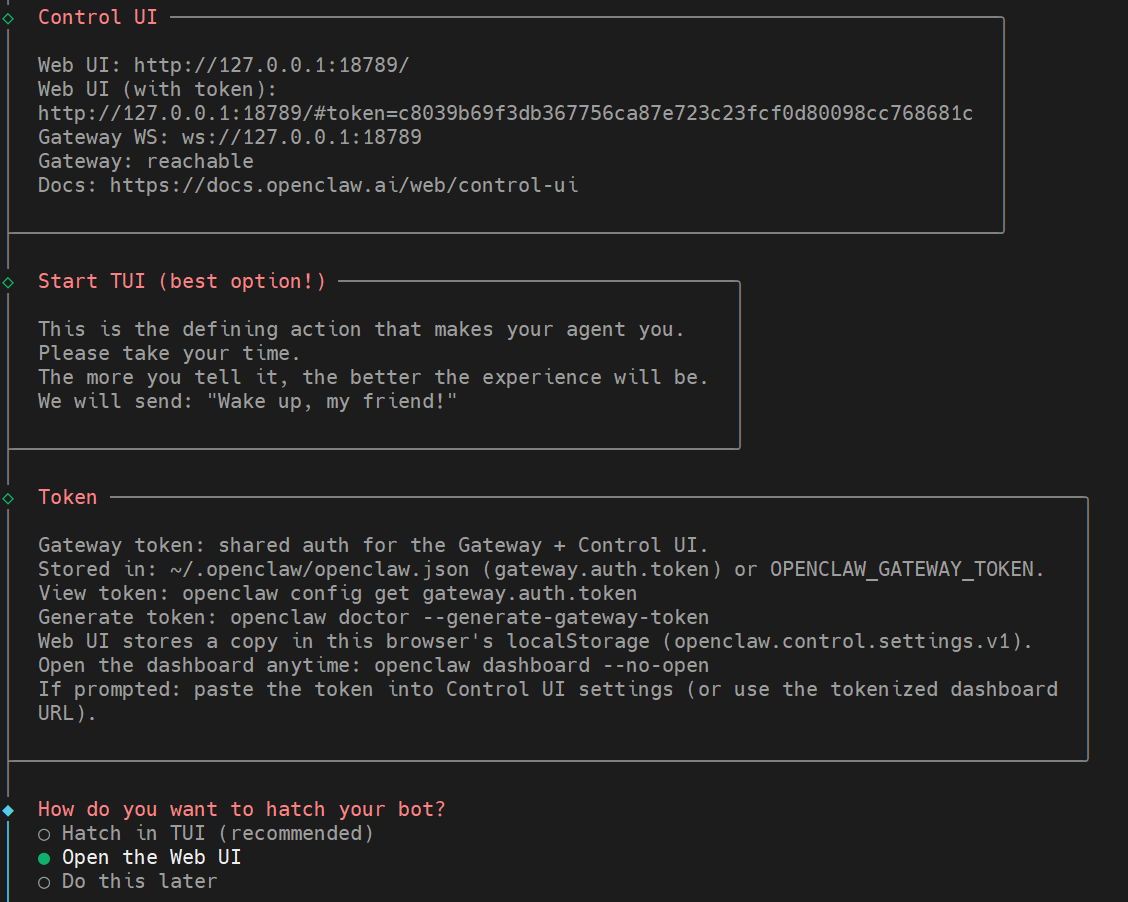
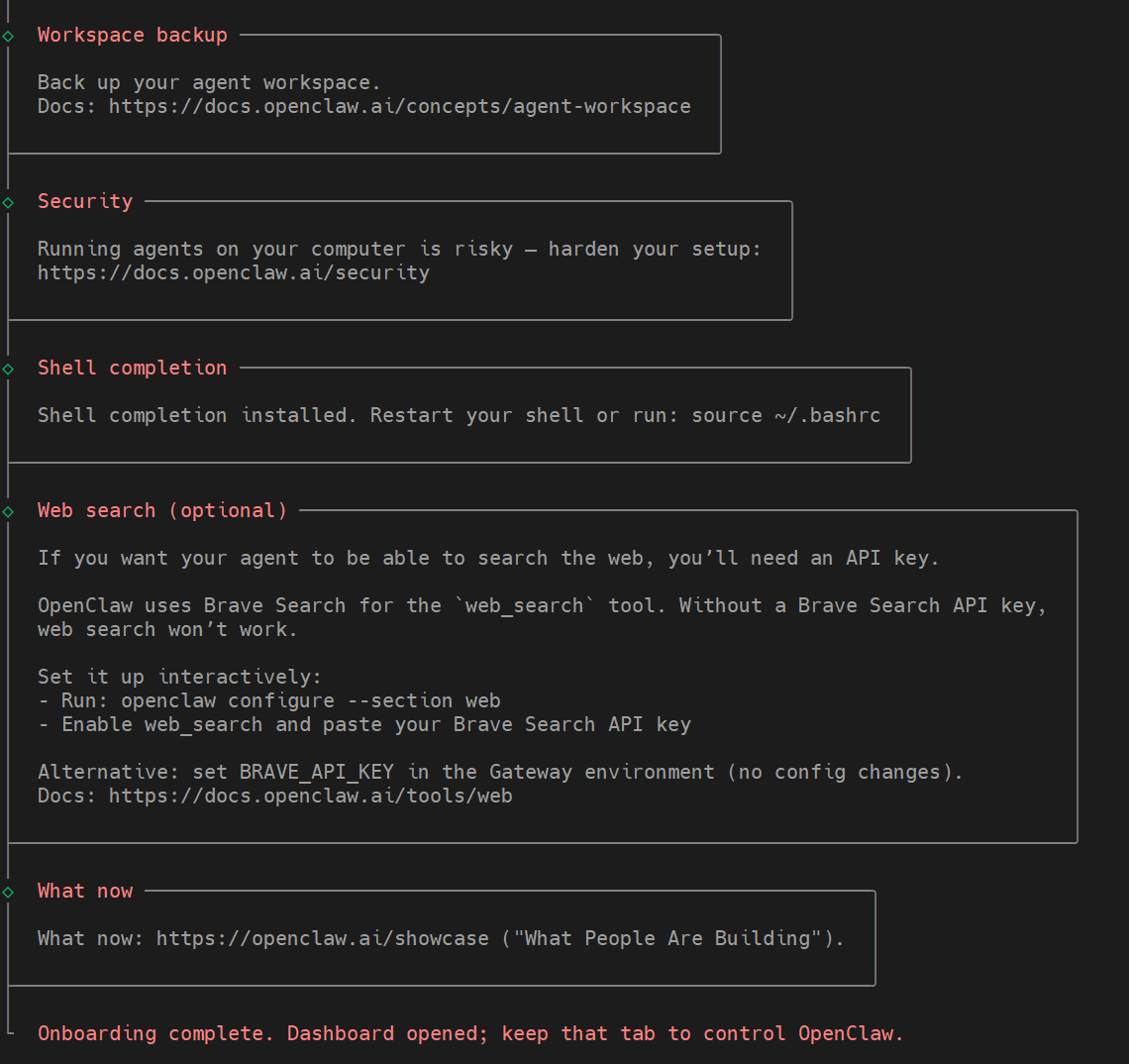
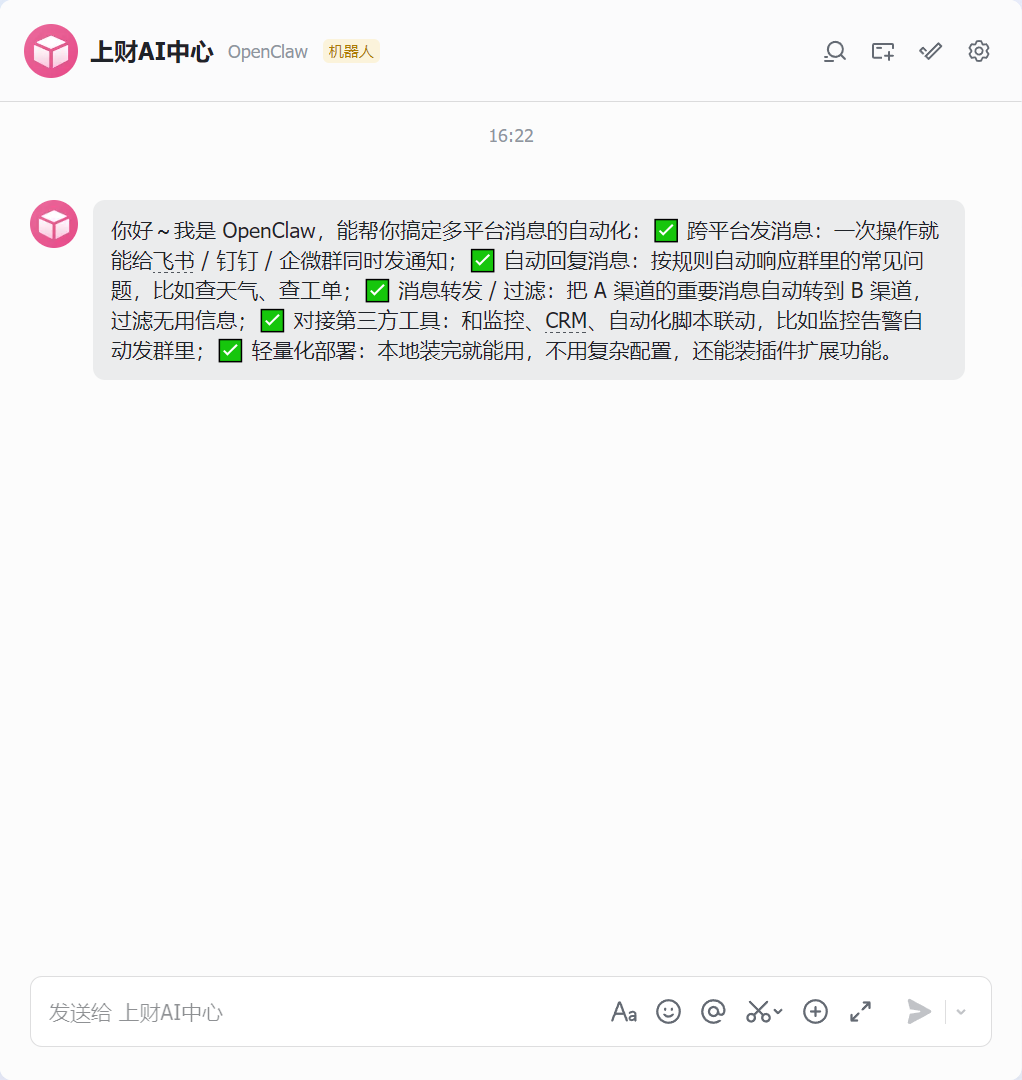
安装完成测试一下
常用命令
| 命令 | 作用 | 备注 / 参数 |
|---|---|---|
npm install -g openclaw@latest --registry https://registry.npmmirror.com |
安装 openclaw | |
openclaw onboard |
安装引导 | |
openclaw status |
查看 Gateway 状态 | 检查网关是否可达及运行状况 |
openclaw health |
健康检查 | 主要检测 core 运行和依赖情况 |
openclaw doctor |
综合诊断与修复建议 | 可配合 --yes / --non-interactive 自动执行 |
openclaw configure |
交互式配置向导 | 用于设置模型、通道、凭据等 |
openclaw config get <path> |
获取配置值 | 指定路径提取配置 |
openclaw config set <path> <value> |
设置配置项 | 支持 JSON5/raw 文本 |
openclaw config unset <path> |
清除配置项 | 移除单个键值 |
openclaw channels list |
列出已登录通道 | 可观察 WhatsApp/Telegram 等登录状态 |
openclaw channels login |
登录新的通道账号 | 用于扫描/授权链接 |
openclaw skills list |
列出技能 | 查看可用/已安装的技能 |
openclaw skills info <skill> |
技能详情 | 观察某项技能参数或版本 |
openclaw plugins list |
列出插件 | 查看已安装插件 |
openclaw plugins install <id> |
安装插件 | 例如 @openclaw/voice-call |
openclaw plugins enable <id> |
启用插件 | 之后通常需要重启网关 |
openclaw logs --follow |
显示日志 | --json / --plain / --limit 等组合使用 |
openclaw gateway |
启动 Gateway 网关 | |
openclaw gateway install |
安装系统服务 | 根据平台注册 Gateway 守护进程 |
openclaw gateway start |
启动 Gateway 网关 | 系统服务模式下启动 |
openclaw gateway stop |
停止 Gateway 网关 | 同上 |
openclaw gateway restart |
重启 Gateway 网关 | 适合配置变更后应用 |
openclaw gateway status |
网关系统服务状态 | 不同于 openclaw status,会探测服务单元 |
openclaw uninstall |
卸载 Gateway 服务及数据 | 官方推荐使用 |
openclaw uninstall --all --yes --non-interactive |
全自动卸载 | 包含状态、workspace、插件等 |
openclaw uninstall --state |
删除状态文件 | 不删除 workspace/CLI |
openclaw uninstall --workspace |
删除工作区 | 移除 agent/workspace 文件 |
openclaw uninstall --service |
仅卸载服务 | 不删除数据 |
openclaw uninstall --dry-run |
模拟卸载 | 显示结果但不实际执行 |